DeckBe Studio: a DAW, DJ decks and a rap booth in your browser
DeckBe Studio is DeckBe's browser studio at deckbe.studio: an eight-channel DAW, two DJ decks, a rap recording booth and a mastering page, with AI tools next to each job. It runs on a computer, a tablet or a phone with nothing to install, opens the tracks you made in DeckBe with the same account, and exports WAV, MP3, MIDI or an Ableton Live project.
Last updated:
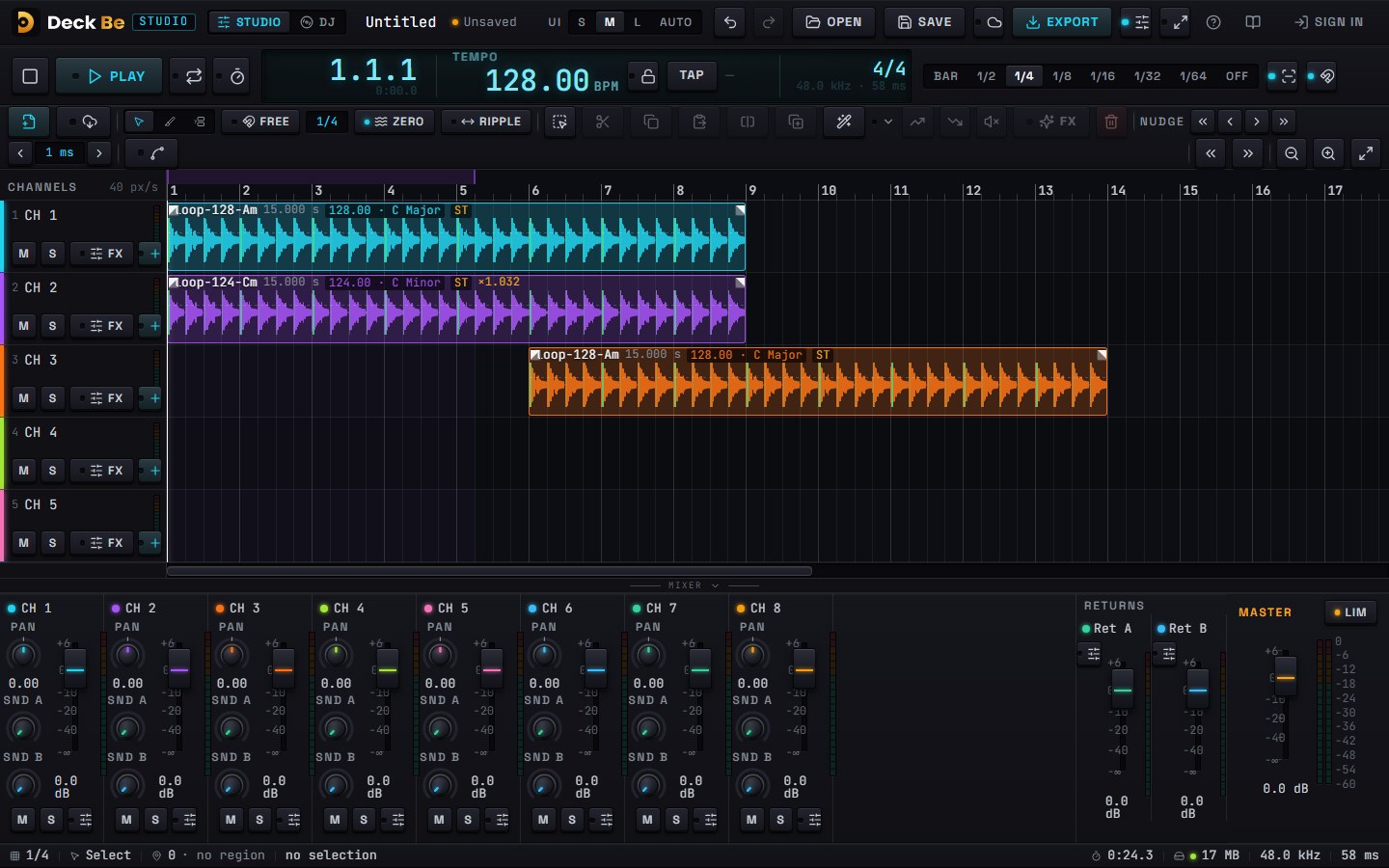
What is in DeckBe Studio?
| Page | What you do there |
|---|---|
| Studio | Arrange audio and patterns on eight channels, edit, automate, mix and export. |
| DJ | Mix on two decks with sync, loops, hot cues, beat FX and stems, and record the set. |
| Rap | Record vocals over a beat, pick the best take, give your voice a sound and mix. |
| Master | Bring a finished track to streaming, club or loud release level. |
The four pages share one project and one account. A beat you make in Studio opens in the Rap booth, and a track you finish can go straight onto a DJ deck.
Studio: the DAW
- Editing: Select, Razor and Range tools; cut at the playhead, at range edges, on the grid or at transients; trim, slip, fade, crossfade and clip gain. Every drag or trim is one undo step.
- Tempo: set the project tempo from 40 to 300 BPM. Each clip shows its detected tempo and key; Match stretches it to the project tempo with the pitch kept and pulls its first beat onto the bar.
- Patterns: Beat (a drum grid with rolls for trap hats and 808 slides) and Synth (a piano roll you can play from the computer keyboard or a MIDI keyboard). Every pattern exports and imports as MIDI.
- Automation and effects: curves for volume, pan, low, mid, high and filter; a channel effects rack; Describe the sound turns words like "far and dark" or "lo-fi tape" into effect settings.
- Mixing: faders from -60 to +6 dB, pan, two sends, mute and solo per channel, and a master limiter.
- Saving: projects save in the browser with a recovery copy every 30 seconds, sync to the cloud with a DeckBe account, and travel to a friend as one .deckbe file.
- Live sessions: start a session, share the link or QR code, and make a track together with a friend.
DJ: two decks in the browser
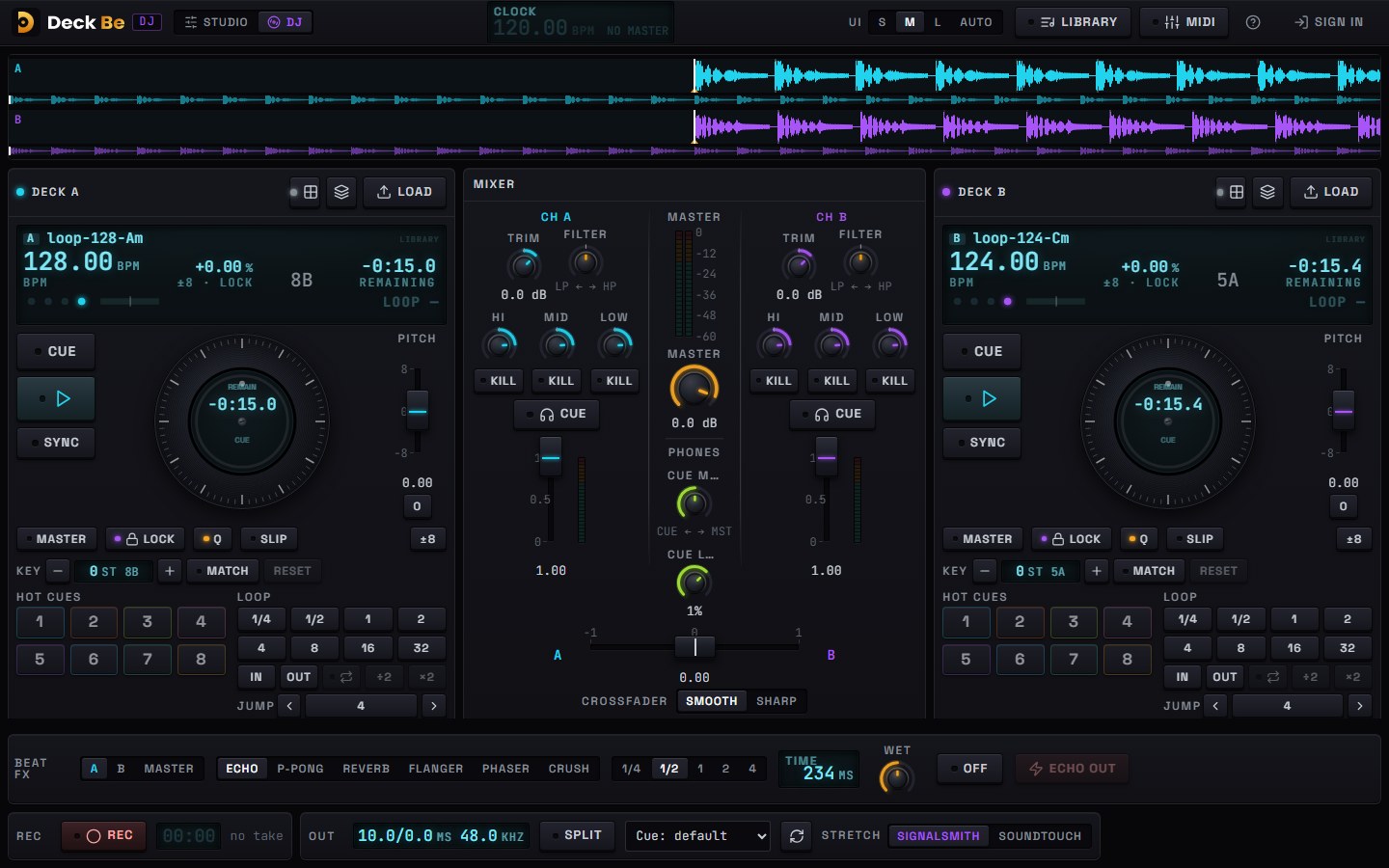
- Sync and keylock: one-off or continuous sync to the master deck, pitch ranges of ±8, ±16 or ±50 %, keylock and key shift in semitones.
- Loops and cues: 1, 2, 4 or 8-beat loops with halve and double, hot cue pads, loop roll.
- Mixer and FX: three-band EQ with kills, a filter, trim, crossfader curve, headphone cue with split, and a beat-synced FX unit (echo, ping-pong, reverb, flanger, phaser, crush).
- Mixing help: one-button mixes (Blend, Filter, Echo or Cut over 8, 16 or 32 bars), Automix, tracks sorted by Camelot key and tempo fit, automatic level matching and an 8-bar phrase grid on the waveform.
- Stems on a deck: split the loaded track into vocals, drums, bass and melody, then play an a cappella or an instrumental live.
- Record and share: record the master with an automatic tracklist, play B2B with a friend in another home through a link, and map any MIDI controller with MIDI learn.
Rap: a recording booth
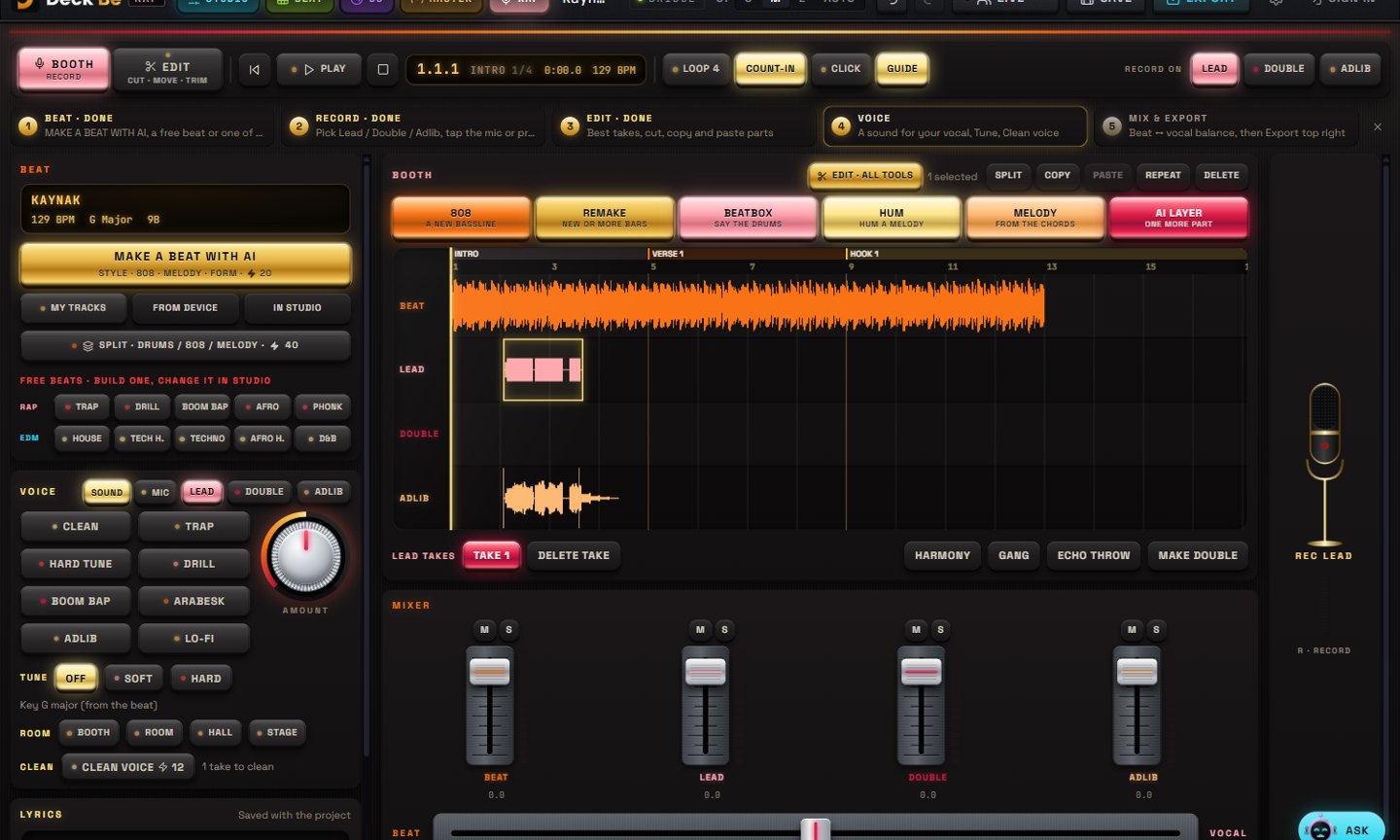
- Beat: your DeckBe tracks, a file from the device, ten free beats (Trap, Drill, Boom Bap, Afro, Phonk, House, Tech House, Techno, Afro House, Drum & Bass) or an AI beat described in your own words.
- Recording: Lead, Double and Adlib channels, count-in, punch-in, four-bar loop takes and take switching. Without headphones, the beat that leaks into the mic is removed from the take on the device.
- Voice: eight sounds (Clean, Trap, Hard Tune, Drill, Boom Bap, Arabesk, Adlib, Lo-Fi) with an amount control, tuning to the key of the beat, room and clean-up. One press adds a harmony, a gang vocal or an echo throw.
- Lyrics: write your lines next to the booth; RHYME · NEXT LINES suggests rhymes and three possible next lines in English or Turkish.
- Editing: EDIT opens the whole song in the Studio editor with every take on its own channel.
Master and export
| Option | Choices |
|---|---|
| Formats | WAV 24 or 16-bit; MP3 320 or 192 kbps |
| Loudness targets | Keep, -14 LUFS (streaming), -9 LUFS (club), -7 LUFS (loud); -1 dBTP ceiling |
| What to render | The whole project, the loop range or the selection |
| Other DAWs | Ableton Live 12 project folder; MIDI files from any pattern |
| Report | Input loudness, applied gain, true peak and limiter reduction |
AI tools in DeckBe Studio
Each AI tool sits next to the job it does. Tools marked ⚡ use DeckBe's usage balance and show the price before they run; the rest are free.
| Tool | What it does | ⚡ |
|---|---|---|
| AI beat | A beat in one of 32 electronic styles or rap and R&B, as a loop or a song up to 5 minutes | loop ⚡10 |
| AI layer | Drums, bass, chords, melody, pad or percussion at the project's tempo and key | yes |
| AI vocal | Your words sung or rapped, up to 24 lines | ⚡15 per 30 s |
| Stems | Split a clip into vocals, drums, bass and other parts | yes |
| Remake | Make 4, 8 or 16 bars again (new hook, drop, breakdown…) or extend a clip | from ⚡7 |
| Mashup and CO-PRO | The vocals of one track over another; what your track is missing, or a sound you describe | yes |
| Melody that fits, Bass, Hum, Beatbox, Fills | Notes in key on the chord strip, a new bassline, a hummed melody or a beatboxed drum grid, fills every 4, 8 or 16 bars | free |
| Sounds rack | 176 drums, 808s, stabs and FX made on your device | free |
| Loop to song | Lays a loop out as a 1 to 5-minute song in 8-bar phrases | free |
| Assistant | Changes tempo, levels, loops and clips when you ask, after you confirm | free |
On a phone and a tablet
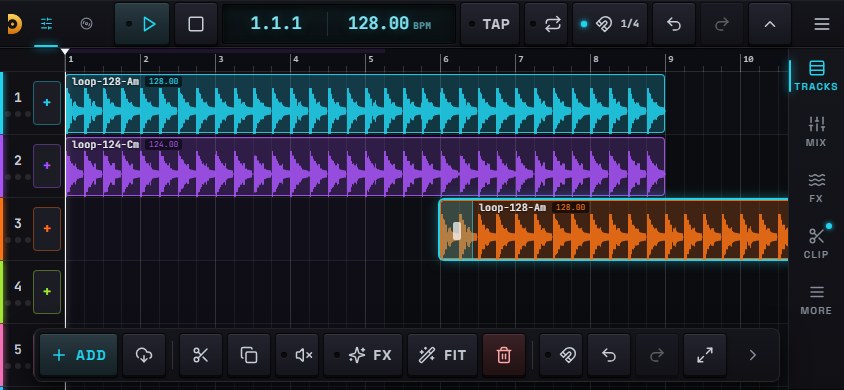
On a phone, Studio, DJ, Rap and Master have layouts sized for a finger: hold it sideways, or turn on portrait mode. Knobs show a large lens while you drag and reset on a double-tap; a tool dock keeps split, duplicate, fit, undo and zoom under your thumb. A tablet gets the full computer screens.
How it works with DeckBe
- Make a track on deckbe.com: Groove Lab, Beat Lab, Beat DNA or Voice Lab.
- Open deckbe.studio and sign in with the same account: Google, Apple, or email and password.
- Press DeckBe next to Add audio (or Load on a DJ deck) and pick the track. It lands on the channel at the playhead, or on the deck.
Studio uses the same ⚡ balance as DeckBe, and it updates within seconds when you spend or get ⚡ on either side. Editing, mixing, DJ, mastering and the free tools use no ⚡.
Plans
Every Studio page and tool works on a free DeckBe account, with cloud save and the free AI tools. On the free plan a download comes in demo quality (MP3 64 kbps, mono), with an A/B player to compare it with the studio file. Paid DeckBe plans download in studio quality: Pro $9.99 a month with ⚡250, Elite $19.99 with ⚡600 and Ultimate $39.99 with ⚡1,500. See plans.
Free tools without an account
- BPM and key finder: reads a track on your computer and shows its BPM, key, Camelot code and LUFS. The file is not uploaded.
- Tap tempo: counts the BPM as you tap.
- Camelot wheel: shows which keys mix with yours.
Frequently asked questions
- Is DeckBe Studio free?
- Every page and tool works on a free DeckBe account, including the DAW, the DJ decks, the rap booth, mastering, cloud save and the free AI tools. On the free plan downloads come in demo quality (MP3 64 kbps, mono); paid DeckBe plans, from $9.99 a month, download in studio quality.
- Do I need to install anything?
- No. DeckBe Studio runs in the browser at deckbe.studio on a computer, a tablet or a phone.
- Can I open my DeckBe tracks in it?
- Yes. Sign in with your DeckBe account and the DeckBe button lists what you made in Groove Lab, Beat Lab, Beat DNA and Voice Lab. A track lands on a Studio channel or on a DJ deck in one tap.
- Can I take a project to Ableton Live or another DAW?
- Yes. Export as Ableton Live packs the project as a Live 12 project folder with every channel, clip, fade and the tempo. Any Beat or Synth pattern also exports as a MIDI file for FL Studio, Logic or any other DAW.
- Can I DJ with a controller?
- Yes. Connect a MIDI controller and map its knobs, faders and buttons with MIDI learn; the LEDs follow the deck state.
- Can I record vocals without headphones?
- Yes. In the Rap booth you can play the beat on the speakers and record; the beat that leaks into the mic is removed from your take on the device. Wired headphones still give the cleanest take.
- Does it work on a phone?
- Yes. Studio, DJ, Rap and Master have phone layouts sized for a finger, in landscape or portrait. A tablet gets the full computer screens.
It opens in your browser. Sign in with your DeckBe account to bring in your tracks and save to the cloud.
Open DeckBe Studio